 roost
roost
The setup wizard
roost doctor   # check tmux version, truecolor, fzf, hooks, adapter links, notifier
roost init     # pick theme, glyph set, separator style; print the Claude hooks
roost init writes ~/.config/roost/roost.conf and is safe to re-run (it backs up the previous file). Reload a running roost with prefix + r.
Roost's own wiring, and backing out of it
When a roost server starts, roost wires the agents you start inside its
panes: a claude you type by hand, one roost spawn starts, and one another
agent starts. It does this without editing your own config files.
- claude runs through a small roost shim that adds one flag,
--settings, naming a file under~/.config/roost/wiring/. That file holds only roost's hooks. Your own settings — model, permissions, env, plugins, your own hooks — all still apply. - opencode 1.x gets
OPENCODE_CONFIG_DIR, pointing at a folder under~/.config/roost/wiring/, which opencode 1.x merges with your own configuration. - opencode 2 gets nothing, on purpose. opencode 2 reads that folder
instead of your own configuration, so setting it would drop your model,
providers and permission rules. roost checks which opencode you have when the
server starts and leaves the variable unset for 2.x. A pane that was already
open before you upgraded roost or opencode still has it: run
unset OPENCODE_CONFIG_DIRthere, androost wiring onfor new panes.roost doctortells you when this applies. opencode 2 badges throughroost installinstead — see State Badges. - codex, pi and copilot still badge only through
roost install. See State Badges.
Each roost checkout gets its own folder under ~/.config/roost/wiring/, so a
second roost server started from another checkout never changes the files the
first one uses.
Outside roost, nothing changes. If you already ran roost install, nothing
runs twice: the hooks in both places are the same commands, and Claude runs a
command once.
You can back out at every level:
| to run without roost's wiring | do this |
|---|---|
one claude | ROOST_NO_SHIM=1 claude |
every claude you type in one shell | export ROOST_NO_SHIM=1 (a roost spawn from that shell is still wired — unless that command is what starts the roost server, which then opts out every pane until roost wiring on) |
| new panes in one roost session | roost wiring off -t SESSION (undo: roost wiring on -t SESSION) |
| this roost server, until it stops | roost wiring off (undo: roost wiring on) |
| every roost server, from the start | set -g @roost-wiring-enabled off in ~/.config/roost/roost.conf |
| all of it, files included | roost wiring remove (undo: roost wiring on) |
ROOST_NO_SHIM must have a value: ROOST_NO_SHIM= with nothing after it is not
a request to back out. For one opencode run, use
env -u OPENCODE_CONFIG_DIR opencode. You can also run claude by its full
path, which never goes through the shim.
roost wiring remove deletes ~/.config/roost/wiring/ and leaves a
~/.config/roost/wiring.off marker, so the next server start does not wire
anything. After a restart, roost behaves as it did before wiring existed.
roost wiring on removes the marker again. None of these commands edit your
roost.conf, ~/.claude or ~/.config/opencode.
A default-command you set in your own roost.conf is kept. New panes that
start a plain shell then do not get the shim; commands started with roost spawn or roost split still do. roost doctor tells you which state you are
in.
Themes
roost, catppuccin-mocha, catppuccin-latte, tokyonight-storm, tokyonight-day, gruvbox, nord, rose-pine.
Pick one in roost init, or set @roost-color-* options by hand in ~/.config/roost/roost.conf.
Changing settings later
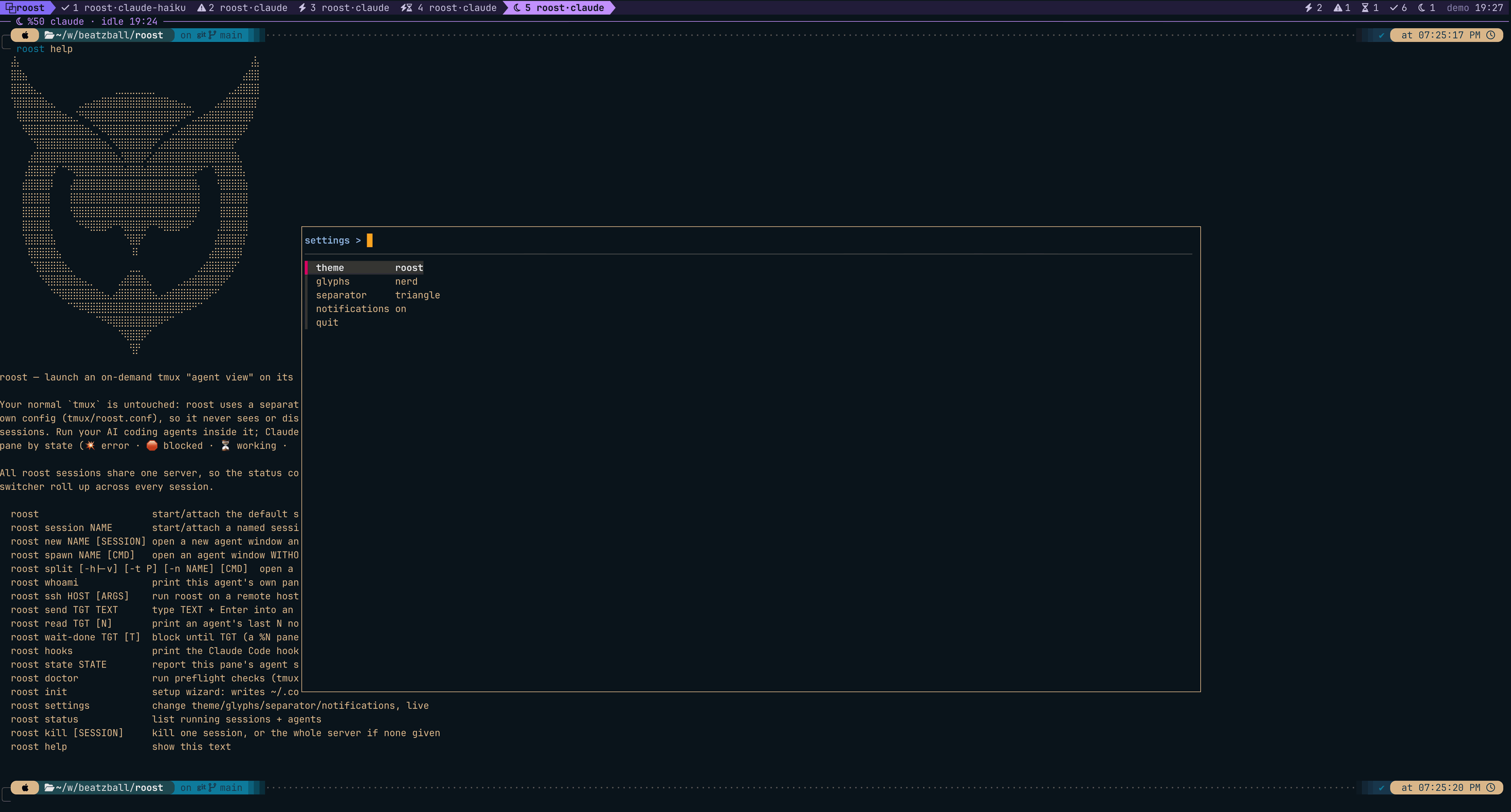
roost settings opens an fzf menu to change the theme, glyph set, separator, and notifications — one at a time. Each pick applies live to the running server (no restart) and is saved to ~/.config/roost/roost.conf. Inside roost, press prefix S (Ctrl-s S) to open it right where you are.
Unlike roost init (which regenerates the whole config), roost settings edits just the one line it changes, leaving any hand-added config untouched.
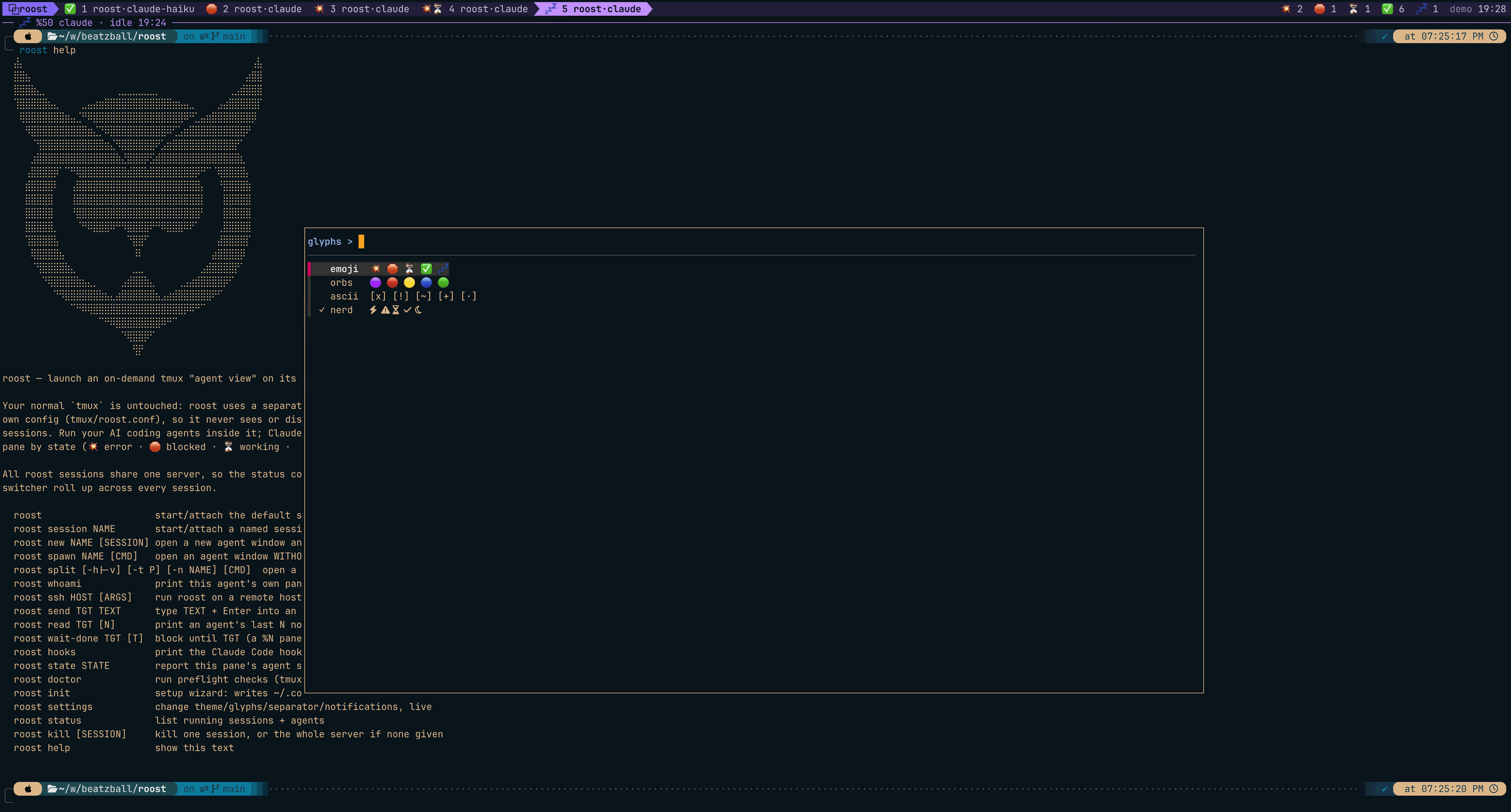
The theme, glyph, and separator pickers preview live: as you move through the list the bar updates on the running server, Enter commits the choice, and Esc reverts to what you had. The currently-saved option is marked with a ✓.
Drilling into glyphs shows each set with its own icons, and ✓ marks the
one currently saved:
Notifications
A blocked agent on a window you are not watching pings you. The backend chain, your own notifier, and the path that reaches your terminal when the fleet runs on another machine all live on one page: Notifications.